
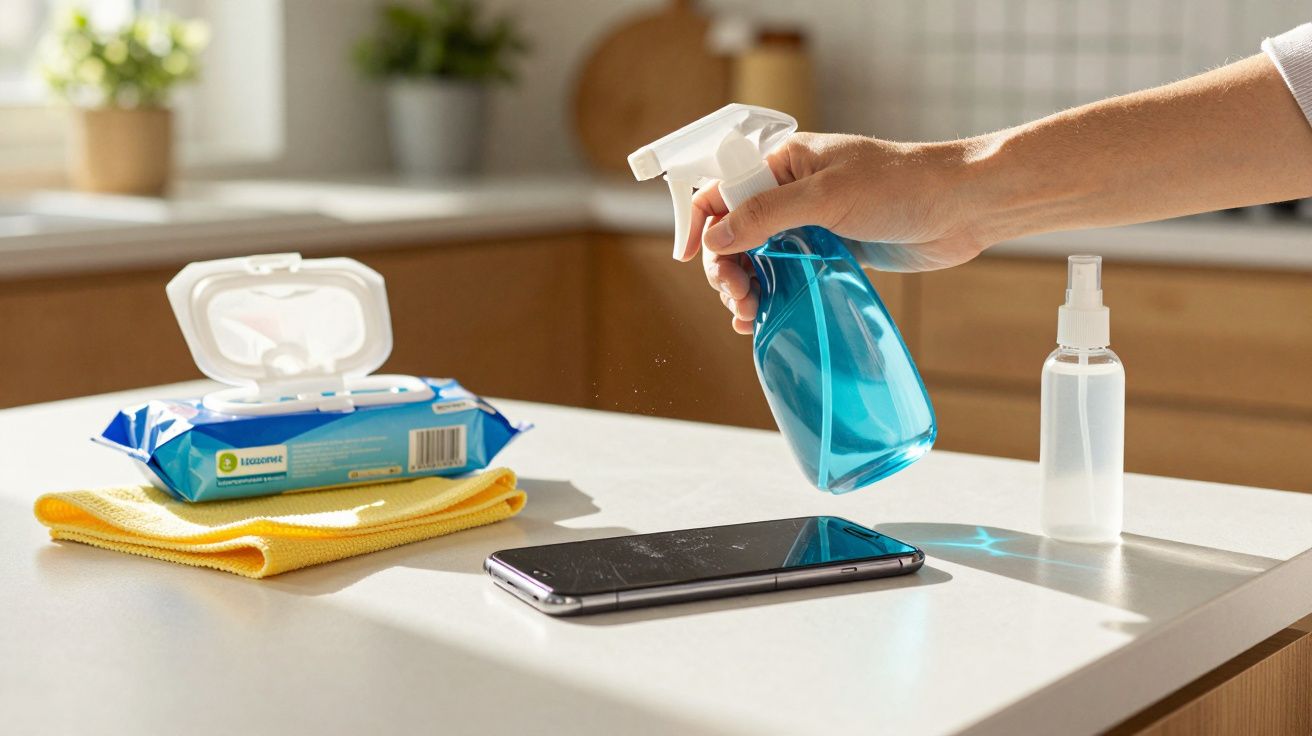
The creeping consequence: a dull, over-sensitive smartphone display.
Your phone feels a bit greasy, so you grab a cloth and whatever cleaner is nearby, give it a quick wipe, and move on. That seemingly harmless habit is quietly wearing down screens in millions of homes. Certain cleaning products strip away the glass’s invisible protective layer without any obvious immediate warning. Then, months later, the screen looks oddly matte, patchy, more prone to scratches - and you’re left wondering what caused it.
These everyday cleaners can ruin your smartphone display
Most people instinctively reach for whatever is already in the cleaning cupboard. It sounds convenient, but for a phone, tablet or smartwatch it can be a costly mistake.
Products made for windows, kitchens or bathrooms generally do not belong on a display.
The most common “silent culprits” include:
- Antibacterial wipes - especially versions containing chlorine-based agents
- Glass cleaner - the usual spray for windows and mirrors
- Household vinegar / vinegar cleaner - often treated as a “natural” cleaning fix
Here’s the catch: smartphone displays are coated with a very thin oleophobic coating. This layer helps repel fingerprints and makes skin oils easier to remove. Harsh ingredients gradually break that coating down, little by little.
Why antibacterial wipes are risky
“Hygienic” sounds reassuring: wipe away germs, phone looks clean - what could go wrong? The issue is the disinfecting chemicals. Products containing chlorine compounds and strong oxidising agents can attack the surface.
You rarely see the damage straight away. After repeated use, the glass starts to look dull, fingerprints become harder to remove, and the screen feels less smooth. Many people write it off as “normal wear”, but it’s often cleaning damage.
Glass cleaner: great for windows, bad for touchscreens
Glass cleaners typically contain surfactants, alcohols and sometimes ammonia. That’s fine for durable window panes, but not for a delicately coated smartphone screen.
This combination can:
- etch the grease-repellent coating,
- leave streaks that become increasingly difficult to shift,
- force moisture into openings (speaker grille, microphone, buttons) if you spray directly.
Vinegar and “natural” home remedies aren’t automatically gentle
Vinegar cleaner and household vinegar have a reputation as household all-rounders. For tile grout, kettles, taps - brilliant. For displays - definitely not.
Over time, the acid can dissolve protective layers and may even cause slight discolouration. The same applies to water-and-vinegar mixes that circulate online as a “milder alternative”.
How dull, delicate screens happen
The most frustrating part is how gradually the problem builds. Using glass cleaner once by mistake won’t destroy a display overnight. But repeating it again and again slowly rubs away the coating, layer by layer.
The real disaster doesn’t happen in a single day - it happens across dozens of tiny cleaning moments.
Typical signs the surface has already been compromised:
- The display looks slightly cloudy even after cleaning.
- Fingerprints appear faster and look more pronounced.
- Swiping no longer feels “glassy-smooth”.
- Fine scratches show up more often, even though you handle the phone carefully.
There’s another risk too: if too much liquid reaches the edges or openings, you can run into additional issues - from blotchy marks under the glass to speaker or sensor failures.
The simple, safe cleaning formula for smartphones
The good news: you don’t need specialist shops or overpriced branded kits for proper cleaning. A basic set-up is more than enough.
A good microfibre cloth is more valuable to your phone than any aggressive cleaner.
Everyday clean: microfibre cloth only
For day-to-day use, this is often all you need:
- a clean, soft microfibre cloth,
- if required: lightly dampened with clean water.
Key point: don’t soak the cloth. Slightly damp is enough to lift dust and grease without letting water run into ports and seams.
Deeper clean: water + alcohol in the right ratio
If the screen is noticeably dirtier - for example from make-up, sun cream, or stubborn oily marks - you can use a stronger but still sensible solution:
| Component | Recommendation |
|---|---|
| Water | distilled, to avoid limescale marks |
| Alcohol | 70% isopropyl alcohol |
| Mix | 50% water, 50% isopropyl alcohol |
How to do it safely:
- Switch off the smartphone, unplug it, and remove the case.
- Mix the solution in a small container - do not spray directly onto the device.
- Lightly (!) moisten a microfibre cloth with the solution.
- Wipe the display gently in circular motions; don’t press hard.
- Buff with a dry area of the cloth.
This approach reliably removes oils, make-up residue and a large proportion of germs, without putting unnecessary stress on the oleophobic coating.
Extra protection that reduces cleaning wear (worth considering)
If you find yourself cleaning often, a quality screen protector can take the abuse instead of the display itself. A tempered glass protector (often called “screen glass”) or a film won’t stop fingerprints entirely, but it can reduce the need to rub hard - and it’s cheap to replace compared with a damaged display.
It also helps if you work in dusty environments, wear heavy moisturiser, or keep your phone in the same pocket as keys and coins.
Habits you should change immediately for your phone’s sake
A few routines make the biggest long-term difference - for better or worse.
Build the right habits and you can avoid expensive display repairs.
What to stop doing from today
- Never spray anything directly onto the device.
- Don’t use kitchen roll, tissues, or rough cloths; they can create micro-scratches.
- Avoid glass cleaner, vinegar cleaner, and chlorine-based disinfectant wipes.
- Skip aggressive multi-surface cleaners and questionable “bicarbonate of soda hacks” from dubious online tips.
Good habits for a longer-lasting display
- Remove your smartphone from the room when cleaning other surfaces so it doesn’t get hit by cleaning mist.
- Wipe gently and regularly with a dry microfibre cloth, instead of rarely using a “chemical blast”.
- Consider a high-quality screen protector or film - it’s easy to replace if it gets worn.
- When cleaning, deliberately avoid the edges, speaker holes and the charging port.
A quick note on water resistance (and why it doesn’t make spraying safe)
Even if your phone is rated water-resistant, that doesn’t mean it’s protected against cleaning fluids. Water resistance can degrade over time, and sprays can drive liquid into grills and seams under pressure. Cleaning products may also contain additives that behave differently from clean water and can leave residues or cause staining.
Why manufacturers are strict about cleaning advice
If you read the official care guidance from Apple, Samsung and others, the rules are surprisingly firm. Most boil down to the same principles: soft cloth, minimal liquid, no household cleaners.
The reason is straightforward: modern displays are built from multiple layers, including sensors, anti-fingerprint coatings and often anti-reflective treatments. Any aggressive chemical can alter that carefully balanced system. In warranty cases, manufacturers can often spot cleaner-related damage - for instance through distinctive streak patterns or discolouration.
If the damage is already done - what now?
Once the surface layer has been noticeably attacked, the original coating usually can’t be restored. What may help:
- A high-quality screen protector to mask a “rougher” feel and prevent new scratches.
- A professional display replacement if visibility is badly affected or scratches are deep.
- A consistent switch to gentle cleaning methods to slow or stop further deterioration.
The key is recognising the link: if your phone looks “older” than friends’ phones despite careful handling, it’s worth examining your cleaning routine.
How often should you clean, and how thorough does it need to be?
If your smartphone is constantly in your hands, it’s natural to wonder whether you can clean it too much. You can - if you scrub hard every time or use harsh products. With a microfibre cloth and the water–isopropyl alcohol mix used sensibly, you have far less to worry about.
A realistic routine for most people:
- A quick daily wipe with a dry microfibre cloth.
- A slightly more thorough clean once or twice a week with a lightly damp cloth.
- During illness, after train travel, or after lots of contact with public spaces, disinfect a bit more often - but still using the gentle mixture.
Follow these steps and your display will stay clearer, smoother and more pleasant to use for much longer - meaning your next phone upgrade happens by choice, not because your screen has mysteriously aged before its time.

Comments
No comments yet. Be the first to comment!
Leave a Comment