
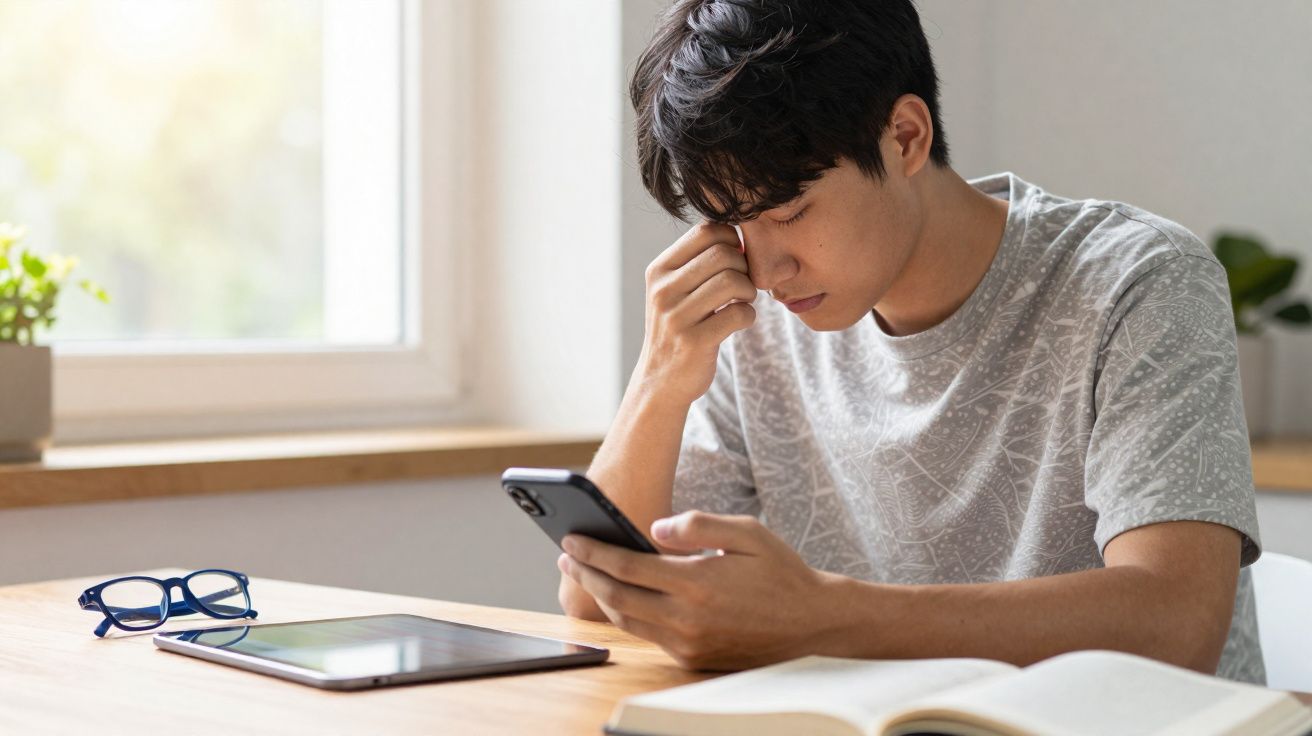
“Your phone isn’t the enemy of your eyes,” says one London optometrist I spoke to.
The café is nearly packed, yet it feels oddly hushed. People sit with heads dipped, thumbs flicking, faces washed in the light of small glowing rectangles. By the window, a woman narrows her eyes at her phone, draws it closer, then nudges it away again. A couple of tables across, a man holding a tablet reclines with loose shoulders, reading the very same news site with a calm, steady look.
You can almost sense the pressure gathering around the phones - a quiet tightness building behind the eyes.
Minutes later, the woman massages her temples and locks her screen. The man on the tablet? Still reading, still unruffled, occasionally looking out of the window. Same article, same room lighting, different devices.
Something about that smaller screen makes our eyes work harder than necessary. And most of the time we don’t clock the strain at all - until it’s gone too far.
Why phones tire your eyes so fast (phones vs tablets)
Phones encourage you to bring them closer than you think. At roughly 20–25 centimetres from your face, your eyes must keep focusing nonstop - making tiny adjustments every second as you scroll, tap and pinch to zoom. That viewing distance is far shorter than what we tend to use for books or tablets, and your eye muscles feel the load.
With a tablet, most people naturally sit back. The bigger display almost pushes you into a more comfortable reading distance, often about 35–45 centimetres, which reduces the effort of focusing. A phone does the reverse: smaller text, tighter menus, bright little icons - so you pull it in. Your brain wants crispness; your eyes foot the bill.
Screen size affects blinking too. On a phone, your attention is pinned to a small area with constant tiny eye movements. As your focus narrows, you blink less, the tear film evaporates, and that gritty, burning feeling creeps in. With a tablet, your gaze covers more space: more margins, more breathing room, fewer frantic saccades. Your eyes get micro-pauses you don’t even notice. That minor difference - a few centimetres, a few extra blinks each minute - is exactly where fatigue quietly accumulates.
Habits that secretly wreck your eyes
We use phones the way we snack: frequently, in short bursts, and often at the worst times. In bed, with your face half pressed into the pillow. On the Tube, with your nose nearly against the glass. In the dark, with only the screen glowing like a miniature sun. Each posture forces your eyes - and often your neck - into awkward angles.
With a tablet, people are more likely to “set themselves up” to read: sit properly, prop it up, maybe even attach a keyboard. There’s a small ritual. With phones, there’s no ritual - just automatic reach-and-scroll. That reflex shortens the distance, tips your head forward, and traps your eyes in a tense, unblinking stare. Your body is protesting; your notifications shout louder.
Practically speaking, that means your eyes aren’t merely tired - they’re being overworked. Holding focus up close for long periods increases what optometrists call “accommodative demand”. Over time, this can lead to more frequent headaches, a sense of pressure around the eyes, or that odd moment when distant objects look slightly fuzzy after you finally look up from your phone. The device isn’t inherently “bad”. It’s the way we use it - too close, too often, and without breaks.
How to make phone reading less punishing
One straightforward rule makes an immediate difference: keep your phone at least an arm’s length away. Not rigidly, not like a machine - simply far enough that your elbow stays slightly bent and your shoulders aren’t rounding forwards. Then increase the font size until you can read without leaning in or squinting.
Most people end up battling their own body. They force their eyes to cope with tiny text instead of adjusting the device to suit their eyes. Increasing the font by two or three steps can reduce eye strain straight away. It can look a little strange initially - almost like “grandad mode” - but your headaches won’t be impressed by your pride.
Brightness is the next quiet troublemaker. Screens set to “auto” are often too bright in a dim room and too dull in full daylight. If you match your screen to the surroundings, your pupils don’t have to work as hard. A good target: the screen should resemble a sheet of paper in the same light - not a spotlight and not a cave.
Small changes that make a big difference
Begin with one simple habit: the 20-20-20 rule. Every 20 minutes, look at something at least 6 metres away for 20 seconds. It’s basic - almost childlike - yet it gives your focusing muscles a reset, like stretching your legs on a long flight.
To make it stick, link it to something that already happens. Each time you finish a short article, swap apps, or your phone buzzes, raise your eyes to the furthest point in the room or out of the window. Let your focus soften, blink a few times, breathe. It feels faintly ridiculous at first - and then oddly calming.
Another effective adjustment: night mode and dark themes. On a phone, the contrast between small bright text and a dark room can feel harsher than it does on a larger tablet screen. Warmer tones and darker backgrounds take the edge off the glare. That won’t magically “save” your eyes, but it reduces the aggression, especially late in the evening.
Most people know these ideas in theory. They agree, maybe change one setting once, and then return to doomscrolling with the screen 15 centimetres from their nose. Let’s be honest: nobody really does this every day. The goal isn’t perfection; it’s small, repeatable shifts: a larger font here, gentler light there, one extra blink when you catch yourself staring.
“Your habits are. Change the distance, the time, and the light - and suddenly the same screen becomes far less hostile.”
To keep these changes going, think in terms of small, forgiving rules rather than strict discipline. Not “I’ll never read in bed again,” but “I’ll stop as soon as I feel my eyes tightening.” Not “no phone at night,” but “tablet for long reads, phone for quick checks.” That flexibility is usually where real progress is made.
- Use your tablet for any reading longer than 10 minutes.
- Increase phone font size until you can read while leaning slightly back.
- Switch on night mode or warmer tones after sunset.
- Apply the 20-20-20 rule three times a day - not perfectly, just often.
- If your eyes sting, treat it as a stop sign, not background noise.
The bigger question behind your tired eyes
There’s a quiet truth tucked inside sore, strained eyes: phones are designed for intensity, not comfort. A phone demands narrow, concentrated attention - one small glowing rectangle close to your face, constantly shifting.
Tablets, laptops, books, even newspapers share something phones rarely provide: distance. Physical distance, yes - but also mental distance. They’re harder to scroll while walking, harder to check every 90 seconds, harder to keep in your hand all day. That built-in friction gives your eyes - and your brain - more space.
We talk endlessly about “screen time”, usually as a number to cut down. Yet what often hurts most is screen distance and screen style. Are you folded over that small panel, neck bent, eyes fixed and dry? Or are you leaning back, blinking normally, letting your gaze drift away from the page now and then?
One pattern drives your visual system to its limits. The other treats it as something worth protecting for the long term. We all know which one currently runs our days - and nights.
Maybe the real change isn’t choosing phone or tablet, but choosing how much comfort we allow ourselves while using them. Choosing a little less tension, a little more distance, a little more softness in how we look at the world - on screen and off.
| Key point | Detail | Why it matters to the reader |
|---|---|---|
| Reading distance | A phone is held closer to the face, which increases the effort needed to focus. | Understand why eyes start burning sooner on a mobile. |
| Screen size and pixel density | Small display, compact text, lots of rapid eye movements. | Spot the situations that trigger visual fatigue. |
| Usage habits | Fragmented reading, poor lighting, and a lack of regular breaks. | Know exactly what to change to relieve your eyes. |
FAQ: phones, tablets and eye strain
- Do phones permanently damage your eyes? Current research suggests phones mainly cause temporary strain, dryness, and headaches, not permanent damage for most users. Chronic discomfort, though, is a sign to change habits and see a professional.
- Is reading on a tablet safer for the eyes than a phone? Often yes, simply because people hold tablets farther away and use them for more “settled” reading. The larger text and greater distance reduce the focusing effort.
- Does blue light from phones ruin your eyesight? Blue light can disrupt sleep and contribute to discomfort, but there’s no clear proof it “ruins” vision. Filters and night modes help with comfort, especially in the evening.
- How long can I read on my phone without hurting my eyes? There’s no magic number, but many eye specialists recommend short sessions of 15–20 minutes with regular breaks, especially if you feel tension building.
- Are e-readers better than phones for eye comfort? E-ink readers usually feel gentler because they mimic paper, have less glare, and encourage longer reading distances. For long reads, they’re often kinder than phones or even tablets.





Comments
No comments yet. Be the first to comment!
Leave a Comment